Tableau Practice (4)
I used ZN function in Tableau. I used sample data from Tableau
Tableau - ZN Function
I used the ZN function in Tableau to replace NUll values with 0.
The ZN function stands for “Zero Null”
It checks a specified field for Null values and replaces them with 0.
This is especially helpful when working with datasets where missing values might appear, such as sales data for a particular time period.
If a value is missing (Null), the ZN function converts it to 0, ensuring that it doesn’t disrupt calculations or aggregations.
By converting Null values to 0, you can handle missing data more effectively and ensure accurate calculations and visualizations.
you can use like this :
1
ZN(expression)
Practice
You can check that the monthly Ontario sales data is Null.
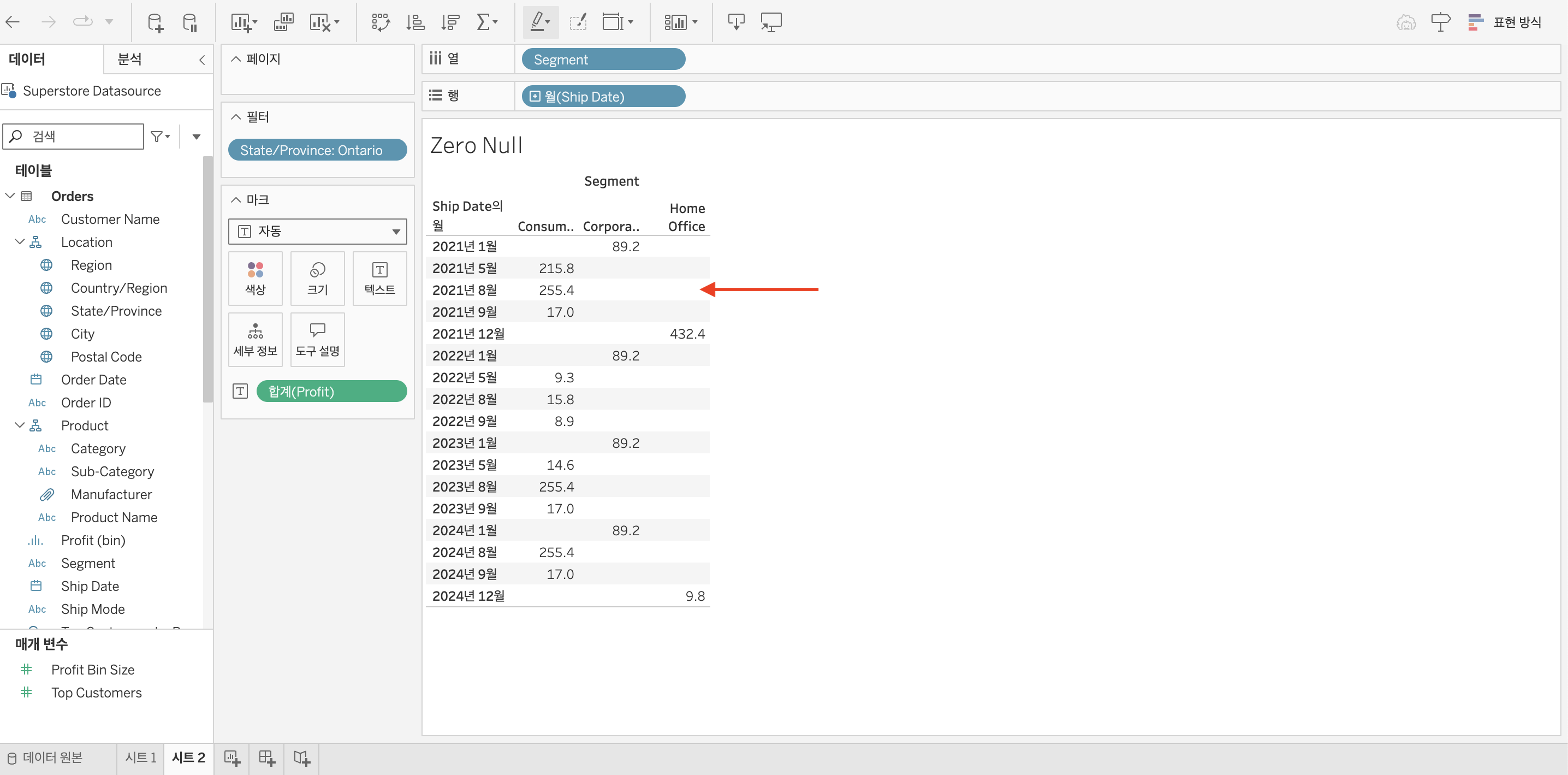
This is because there is no orders data.
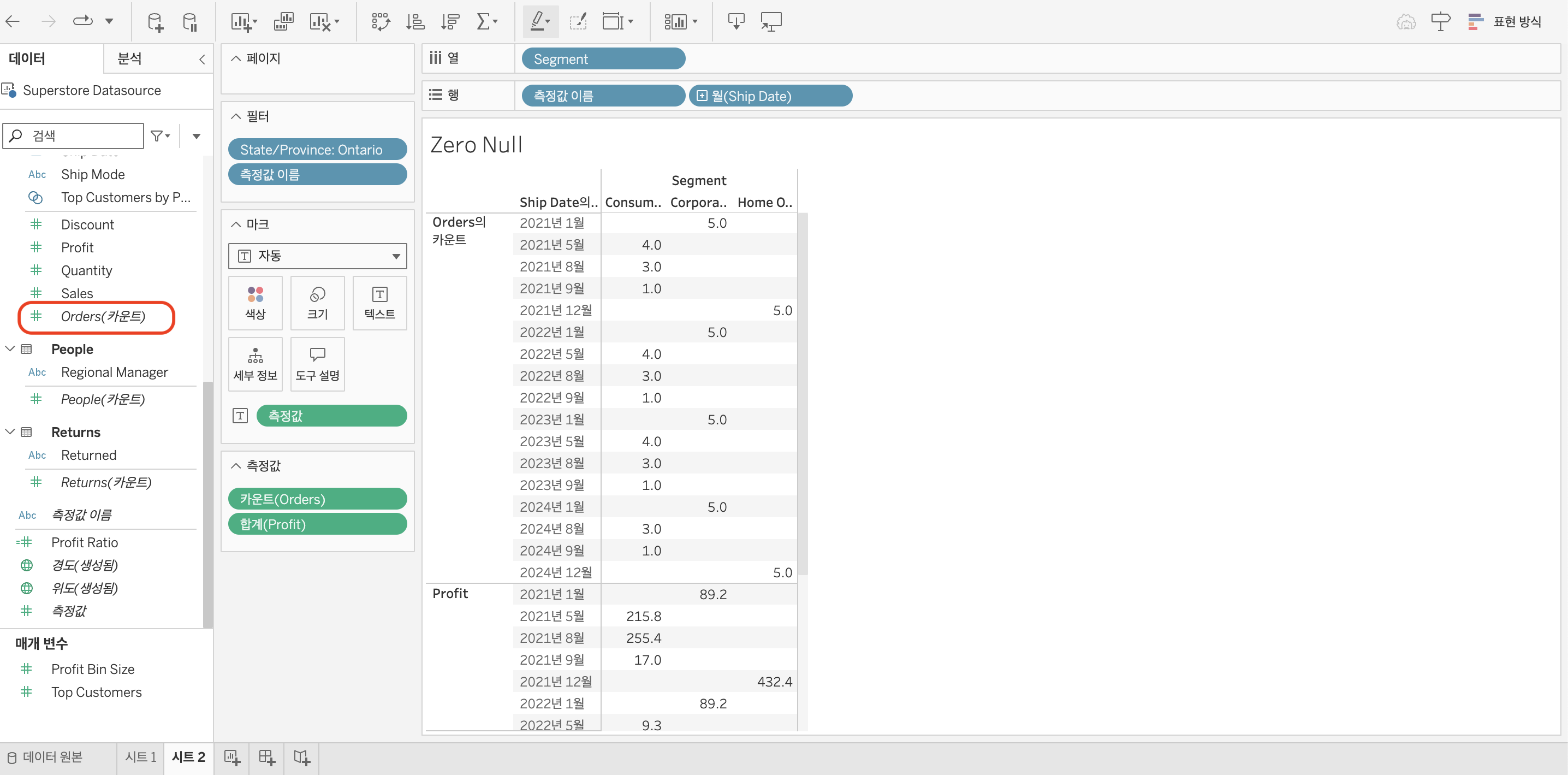
To replace Null values to 0, you can use ZN function.
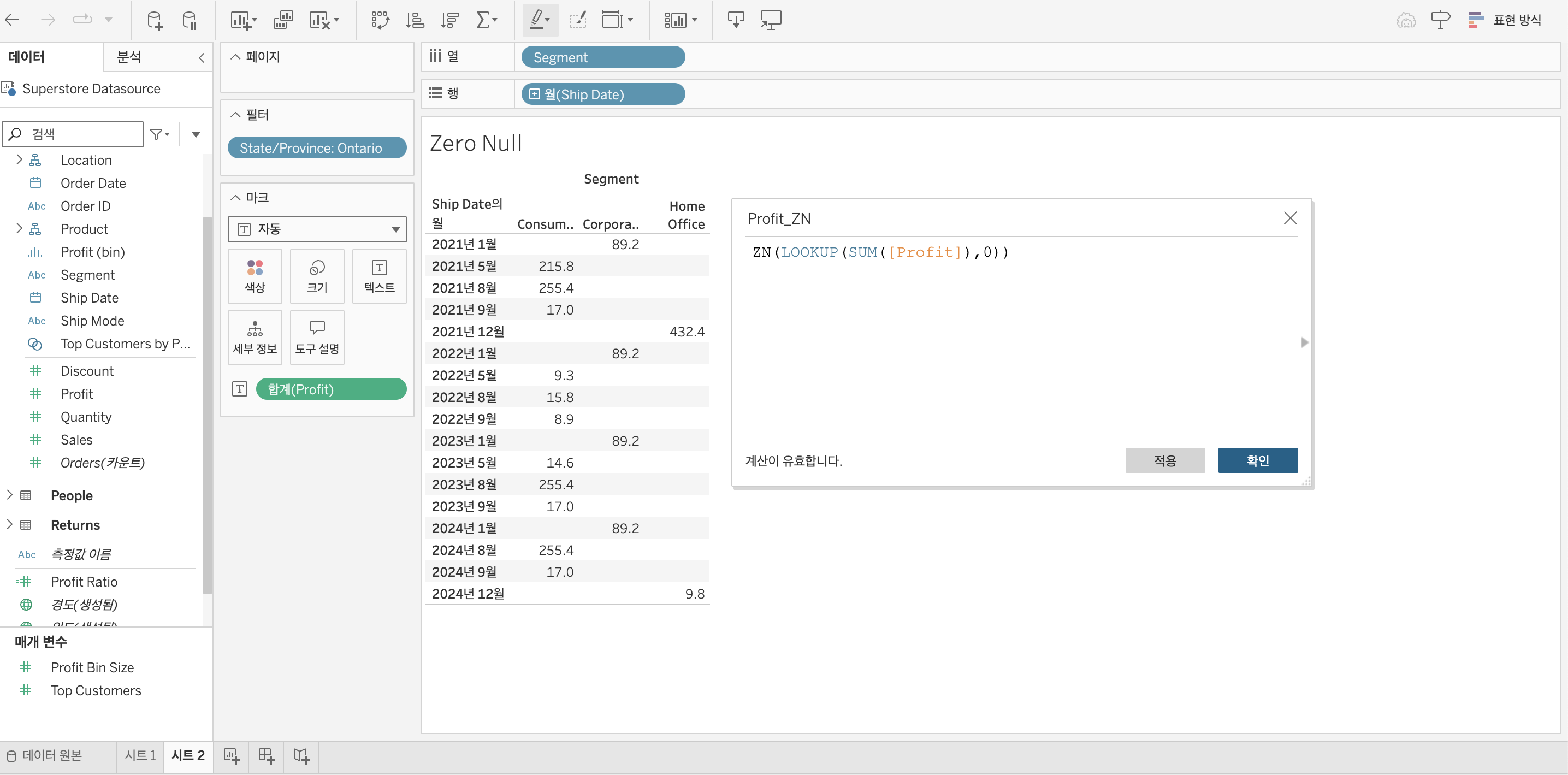
In this case, Look up that the sum of profit is Null and then make it 0
I named this calculated field as “Profit_ZN”
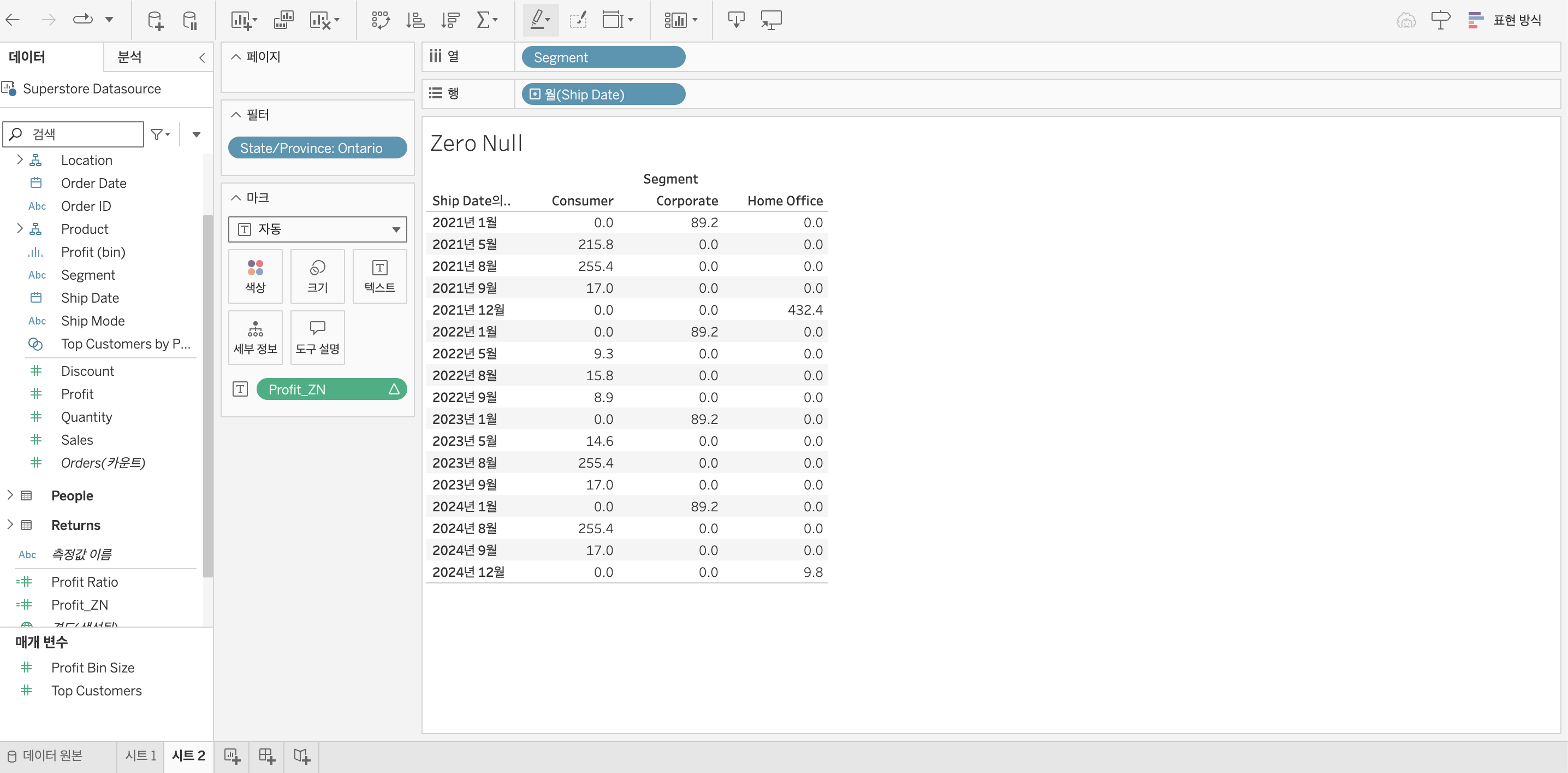
Drag and Drop Profit_ZN to the sum of profit
Then, you can see the ZN fuction goes well.
I referred to this youtube video for guidance.